Examples
Live 3D and AR, the way your shop will use it
Each example runs the AtlasAR viewer SDK on this page, loaded exactly like on a customer's site. Turn the models, switch colours, open AR on your phone, then copy the code.
Single product, in AR at its real size
The everyday case: one product, one model. On a phone the button opens AR (Scene Viewer on Android, Quick Look on iPhone); on a computer it shows a QR code to continue on the phone.
- Loads when it scrolls into view
- Real size and floor placement in AR
- Drag, pinch, keyboard; no app to install
<script src="https://cloud.wpaugmentedreality.com/sdk/v1/atlasar.js" defer></script>

<atlasar-viewer
  src="/models/toy-car.glb"
  alt="Toy car"
  ar-button-text="View in your room">
</atlasar-viewer>Variable product: colours and materials
The shopper picks a colour in your product form and the 3D model changes with it: the model's own material variants, or a separate file per option. On WooCommerce the plugin follows the variation select by itself.
const viewer = AtlasAR.mount('#product-3d', {
  src: '/models/sneaker.glb',
  variants: { mapping: { Blue: 'midnight', Sand: 'beach' } },
});
colourSelect.addEventListener('change', (e) => {
  viewer.setVariant(e.target.value); // false if unknown
});Several models with thumbnails
A set, a bundle, or one product in separate files: one viewer, thumbnails under the model. Arrow keys move between them, and AR opens the one on screen.
AtlasAR.mount('#product-3d', {
  items: [
    { src: '/models/mug.glb', thumbnail: '/img/mug.webp', alt: 'Ceramic mug' },
    { src: '/models/cup.glb', thumbnail: '/img/cup.webp', alt: 'Coffee mug' },
    { src: '/models/car.glb', thumbnail: '/img/car.webp', alt: 'Toy car' },
  ],
});3D as a slide of your product gallery
Keep your photo gallery and add the 3D view as one more slide, so the page looks the same until the shopper chooses 3D. The WordPress plugin does this inside the WooCommerce gallery.
<div class="gallery">
  <img src="/img/car.webp" alt="Wooden toy car">
  <atlasar-viewer src="/models/car.glb" load="interaction" hidden></atlasar-viewer>
</div>
<button data-show="photo">Photo</button> <button data-show="3d">3D</button>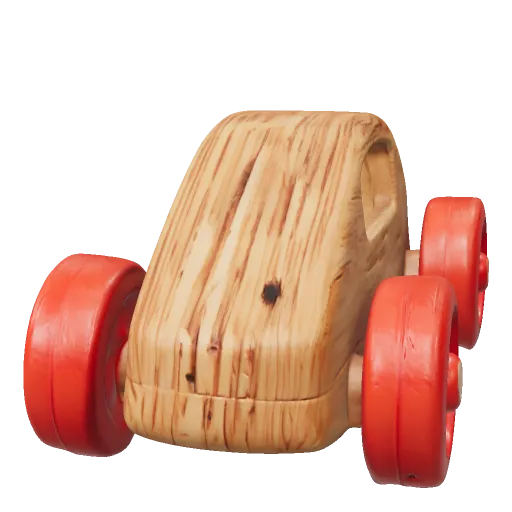
Hotspots on the model
Labels pinned to points on the model: a material, a feature, a care note. A click tells your page which one, so you can open details or count interest.
<atlasar-viewer src="/models/toy-car.glb"
  hotspots='[
    {"position":"0 0.115 0","normal":"0 1 0","label":"Clear-coat paint"},
    {"position":"0.13 0.004 0.13","normal":"0 1 0","label":"Velvet cloth"}
]'></atlasar-viewer>Dimensions drawn around the model
Width, height and depth, measured from the model (AtlasAR Cloud models are at their real size) or written by you. Shoppers see whether it fits before they buy.
<atlasar-viewer src="/models/sneaker.glb"
dimensions='{"show":true,"unit":"cm"}'></atlasar-viewer>Glasses try-on with the camera
"Try it on" opens the camera (after the shopper agrees) and follows the face in the browser: nothing is uploaded. No camera? Try it on a sample face. Hats work the same way.
- Face tracking runs on the device
- Snapshot to save or share
- Loads only when "Try it on" is pressed
<atlasar-viewer src="/models/aviator.glb"
  tryon="glasses"
tryon-label="Try them on"></atlasar-viewer>A button that opens the 3D view
For busy product pages: one button next to Add to cart. The viewer loads only when the shopper opens it, so the page stays as fast as before.
<atlasar-viewer src="/models/mug.glb"
  display="popup"
  button-label="View in 3D"></atlasar-viewer>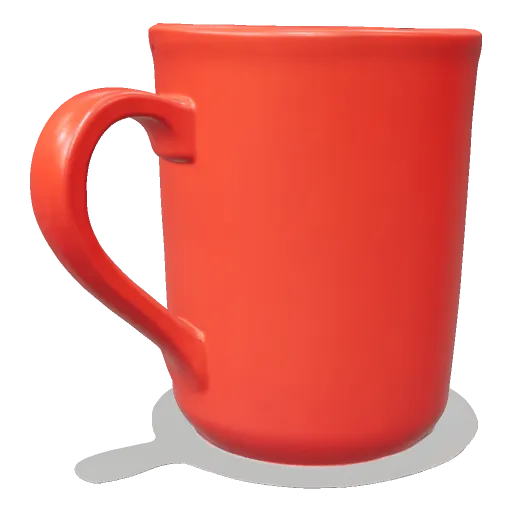
Red coffee mug
Stoneware, 330 ml · $18.00
Wall art on the shopper's wall
Prints, canvases, mirrors and rugs need no 3D artist: make the model from the product photo in the browser at its real width and height, then AR places it on a wall (or the floor, for a rug).
const { glb } = await AtlasAR.tools.flat(photo, {
  kind: 'framed', widthCm: 60, heightCm: 40,
});
// then: <atlasar-viewer src="…" ar-placement="wall">
Ready to put this on your shop?
WordPress: install the plugin and pick a model on the product. Any other site: the script tag above, with your own files or AtlasAR Cloud models.
Demo models: toy car by Guido Odendahl (Khronos glTF samples, CC0); sneaker "MaterialsVariantsShoe" © 2020 Shopify (Khronos glTF samples, CC BY 4.0); aviator glasses, mugs, wooden car and framed print by AtlasAiDev (CC0).